How Snack and Beverage Inventory Tracking Works in a Digital Cafeteria
A digital cafeteria tracks snack and beverage inventory by recording every item that comes in, deducting it automatically each time it's sold, and alerting staff when stock runs low. The system keeps a live count, so managers see what is selling, what is about to run out and what is going to waste, without a manual stock check.
That sounds simple, but anyone who has run a cafeteria knows how quickly snacks and beverages get messy. They are small, cheap, fast-moving and sold all day. Chips vanish before lunch, the cold drinks run out at 3 pm, and a shelf of expired biscuits sits unnoticed in the corner. Paper registers and end-of-week counts can't keep up with that pace.
In this guide, you'll see exactly how inventory tracking works in a digital cafeteria, one step at a time: from setting stock levels to getting low-stock alerts and reconciling counts. We also cover which snacks and beverages need extra care, how tracking cuts wastage, how it works across counters and vendors, and what to look for when choosing a system.
If you manage facilities, run a corporate cafeteria or are choosing a digital cafeteria platform for your workplace, this will help you understand what the software actually does behind the counter.
Key Takeaways
- A digital cafeteria keeps a live stock count by deducting items automatically at every sale.
- Set a par level (the minimum stock you want on hand) for every snack and beverage.
- Low-stock alerts let you reorder before an item runs out.
- Expiry dates and fast-moving items need extra attention in snacks and beverages.
- Regular reconciliation and reports expose wastage and missing stock.
What Is Inventory Tracking in a Digital Cafeteria?
Inventory tracking in a digital cafeteria is the practice of keeping a live, automatic count of every snack and beverage in stock. Each sale, delivery and write-off updates the count, so the system always shows what is on hand, what has sold and what needs reordering.
Manual vs digital tracking
In a manual setup, someone counts shelves, writes numbers in a register and reconciles them days later. Errors creep in, and by the time a gap shows up, the stock is already gone. A digital system updates the count with every transaction, so the numbers are current when you need them.
What "inventory" covers for snacks and beverages
For snacks and beverages, inventory means more than a stock number. It includes the item and its pack size, quantity on hand, cost and selling price, expiry date for packaged goods, and the counter or location where the item is kept.
How Does Snack and Beverage Inventory Tracking Work, Step by Step?
Snack and beverage inventory tracking works in five steps: set up each item with a par level, log stock when it arrives, deduct stock automatically at every sale, send low-stock alerts so you can reorder, and reconcile counts regularly. Together, these steps keep the digital count close to what is physically on the shelf.
Step 1: Set up items and par levels
Start by adding every snack and beverage to the system with its name, pack size, cost, selling price and category. Then set a par level for each one. A par level is the minimum quantity you want on hand before it's time to reorder. Fast sellers like tea, coffee and cold drinks need higher par levels than a slow-moving specialty snack.
Step 2: Log stock when it arrives
When a delivery comes in, staff record the quantity received against each item, along with the batch or expiry date for packaged goods. This is the starting point for every later count. If this step is skipped or rushed, every number that follows will be off, so it's worth checking the delivery against the order before it goes on the shelf.
Step 3: Deduct stock automatically at every sale
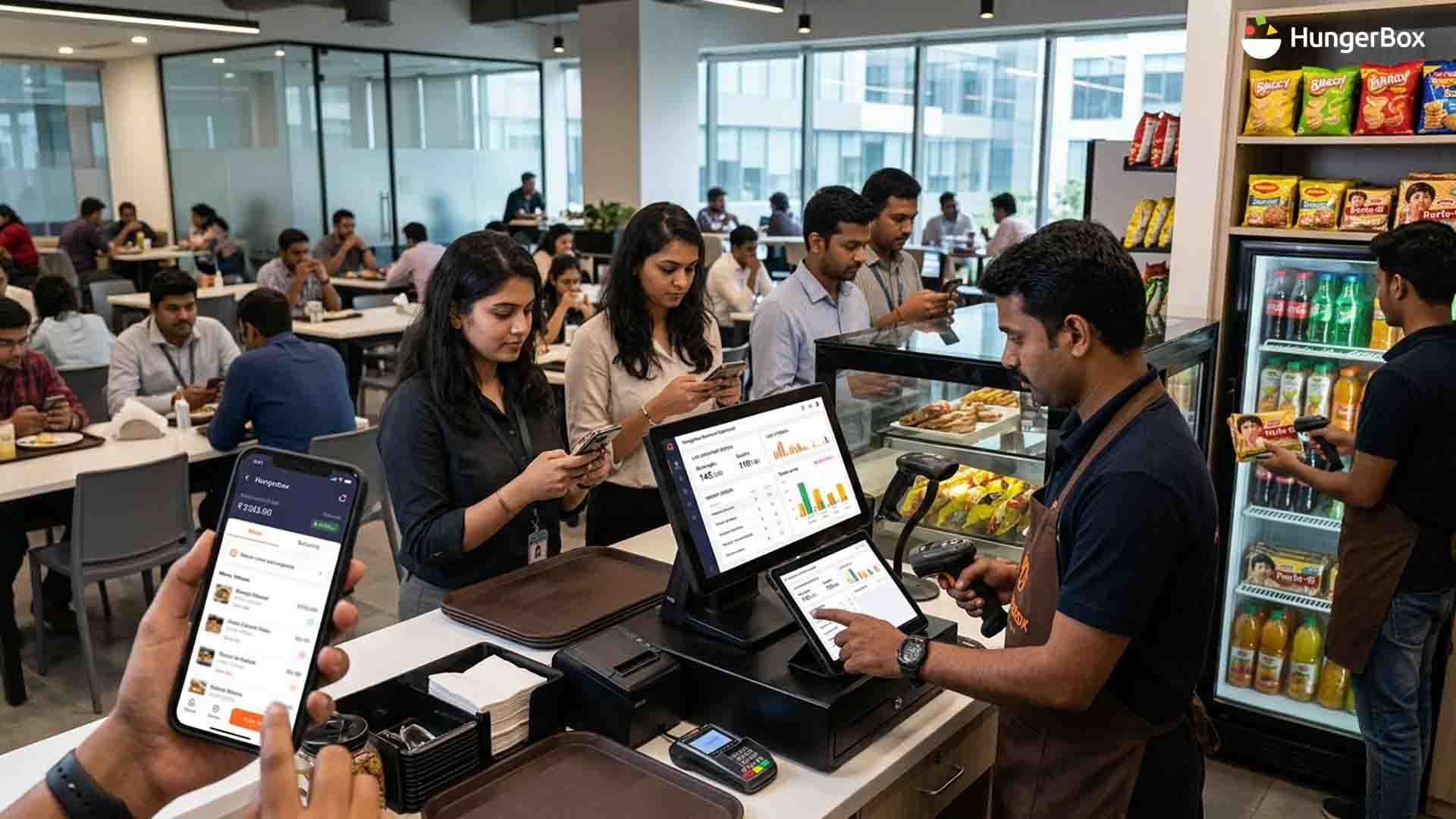
This is where a digital cafeteria earns its keep. Each time an employee orders or pays at a counter, the billing system removes that item from the stock count straight away, so no one updates a register by hand. With cafeteria POS software running the sale, the count stays live through the lunch rush. In HungerBox's Kitchen System, an inventory and sales dashboard shows what's moving and what isn't.
Step 4: Get low-stock alerts and reorder
When an item drops to its par level, the system flags it as low stock so the right person can reorder before the shelf is empty. Some teams review a low-stock list each morning; others get an alert as it happens. Either way, the point is to act on a signal instead of discovering a gap when an employee finds an empty shelf.
Step 5: Reconcile counts and review reports
Even the best system needs a reality check. Count the physical stock at regular intervals and compare it with the system count. The difference is your variance. Small gaps are normal; large or repeated ones point to spoilage, miscounts or items leaving without being billed. Reports on sales and stock movement then show what to order more of and what to drop.
Which Snacks and Beverages Need Special Handling?
Not all snacks and beverages behave the same way. Four types need extra attention when you set up tracking.
| Item type | Main risk | How tracking helps |
| Packaged snacks (chips, biscuits) | Expiry and slow movers | Batch and expiry dates; sell the oldest stock first |
| Chilled drinks | Run out at peak times; spoil if overstocked | Higher par levels for popular items; alerts before the afternoon rush |
| Hot beverage supplies (tea, coffee, milk, sugar) | Very high volume, fast depletion | Track by serving or ingredient; reorder on a fixed schedule |
| Fresh, short-life items | Spoil within a day or two | Small, frequent orders; daily counts |
Use first-in, first-out (FIFO) for all of them: sell the oldest stock first so nothing expires at the back of the shelf.
How Does Digital Inventory Tracking Reduce Wastage and Missing Stock?
Digital inventory tracking reduces wastage by showing overstock, expiring items and unexplained gaps while there is still time to act. Because every item moves through the system, you can see what is being ordered too much, what is not selling and what is leaving without being billed.
Spotting overstock and expiry risk
A slow-moving item with a full shelf shows up clearly in stock reports. You can cut the next order, move the item to a busier counter or run a promotion before the expiry date arrives.
Catching unbilled and missing items
When the physical count is lower than the system count, something left without a sale. It could be a billing slip, a staff meal or plain loss. Spotting the gap early is the first step to fixing it.
Using demand data to order better
AI demand forecasting goes a step further. It uses past sales to predict what will sell, so orders match real demand instead of guesswork. Even without forecasting, a few weeks of sales data show which items sell out and which ones sit. For a wider view of the problem, read our piece on reducing food wastage in workplaces.
How Does Inventory Tracking Work Across Counters and Vendors?
In a cafeteria with several counters or vendors, each counter keeps its own stock record while the system rolls everything into one view. Managers can see sales and low-stock items across every counter without walking the floor or waiting for end-of-day reports.
One view across counters
A facility manager sees the whole picture on one screen: which counters are selling fast, which are running low and which items sit untouched. HungerBox's Nexus dashboard, for example, gives facility teams a live view of sales and vendor performance.
Vendor stock and invoicing
When outside vendors run counters, stock data also supports fair billing. Records of what was sold make it easier to check vendor invoices against actual sales, and to settle payments with fewer disputes. For larger sites, corporate cafeteria management tools bring counters, vendors and reporting together in one place.
What Should You Look For in a Digital Cafeteria Inventory System?
Look for a system that updates stock automatically at every sale, sends low-stock alerts, handles expiry dates, and shows clear reports across all counters. If it can't do those four things, you will still be counting by hand.
- Automatic stock deduction at the point of sale
- Adjustable par levels for each item
- Low-stock alerts that reach the right person
- Expiry and batch tracking for packaged goods
- Item availability that updates on the menu when stock runs out
- Reports on sales, stock movement and variance
- Support for multiple counters and vendors
Conclusion: Make Every Snack and Beverage Count
A digital cafeteria turns snack and beverage stock from guesswork into a live number. Set par levels, log deliveries, let every sale update the count, act on low-stock alerts and reconcile regularly. Do those five things and shelves stay full, expired stock shrinks and unexplained losses show up early.
To see how this could work on your site, talk to the HungerBox team.

Frequestly Asked Questions

A digital cafeteria tracks inventory by linking stock records to every transaction. Deliveries add to the count, each sale deducts from it, and the system flags items that fall below their par level. Regular physical counts are then compared with the system to catch errors, spoilage and unbilled items.
A par level is the minimum quantity of an item you want on hand before you reorder. It matters because snacks and beverages sell quickly and unevenly. A sensible par level for each item keeps popular products in stock while preventing you from over-ordering slow sellers that expire on the shelf.
When stock reaches zero, the item should be marked unavailable so employees don’t order something that isn’t there. In HungerBox’s Kitchen System, operators can update item availability, which keeps the menu honest during the rush. The low-stock alert you set earlier should have warned you before it got to that point.
Yes, it helps. Tracking shows which items are overstocked, which are close to expiry and which are never bought, so you can order less of them or sell them sooner. It does not remove waste on its own, but it gives you the data to cut it.
Count high-volume and short-life items daily or weekly, and the rest at least monthly. Physical counts check that the system matches reality. If counts and system numbers match closely for several cycles, you can space them out; if gaps keep appearing, count more often and find the cause.