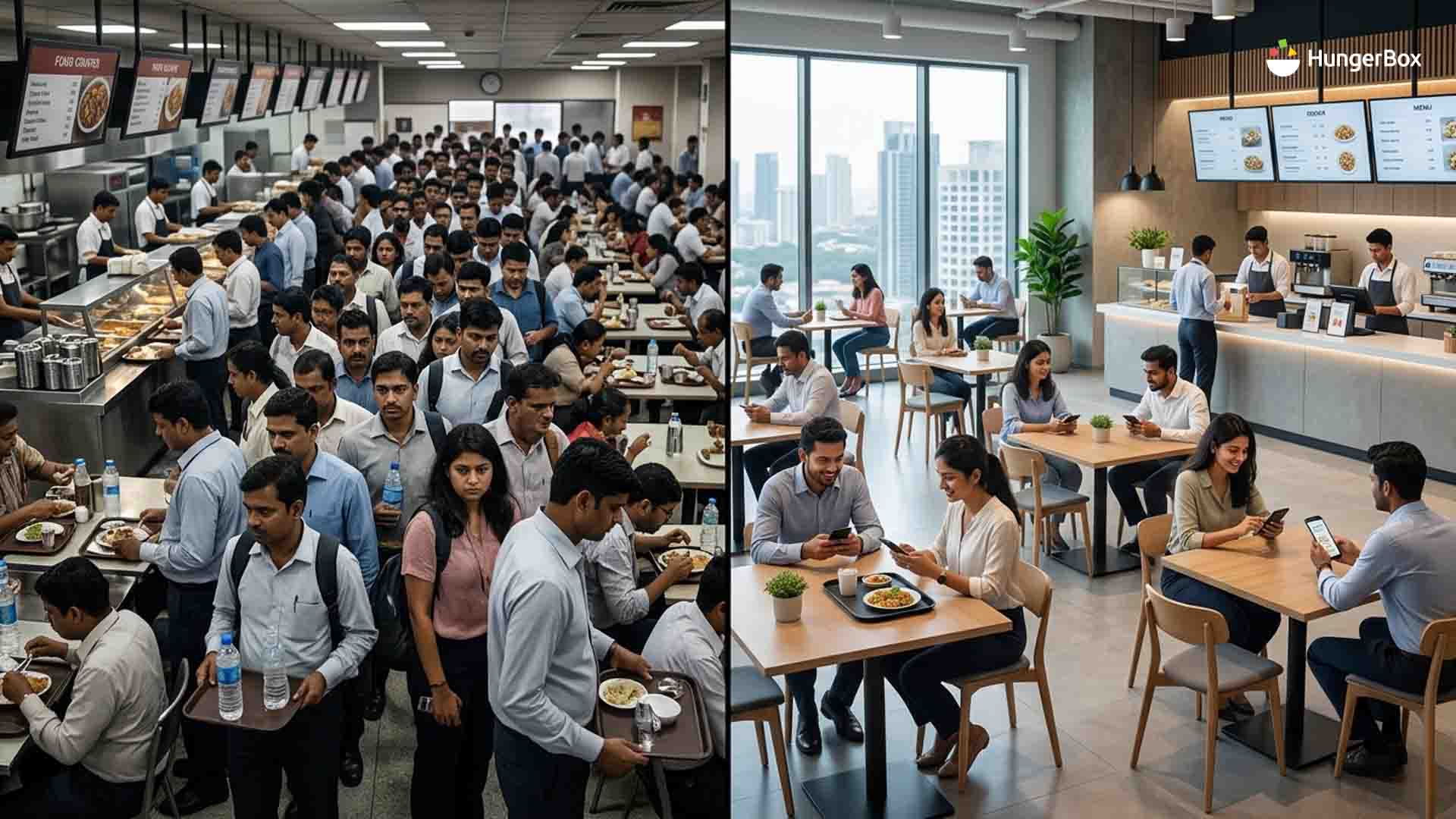
Why Office Cafeterias Break at Lunch Hour (And How to Fix the 60-Minute Rush)
For twenty-three hours a day, most office cafeterias work perfectly well. The problem is the other one.
Between roughly 12:30 and 1:30, a facility designed around averages has to absorb a demand spike it was never sized for. Three thousand employees, one hour, four hundred seats. The queue at the counter merges into the queue at the payment desk. People who finally get food cannot find anywhere to sit. Employees who left their desks at 12:45 return at 1:25 having eaten in eleven minutes and waited for twenty-nine.
The standard response is to add counters, add staff, or ask for a bigger dining hall. All three raise cost, and none of them reliably fixes the rush because peak-hour failure is a throughput problem, not a capacity problem.
Key Takeaways
- The lunch rush is a concurrency problem. Everyone arrives in the same twenty-minute window, so average capacity is irrelevant; peak capacity is all that matters.
- There are four separate bottlenecks. Deciding, cooking, paying and sitting — and fixing the wrong one changes nothing.
- More counters is usually the wrong fix. It adds cost linearly while addressing only one of the four bottlenecks.
- Pre-ordering is the highest-leverage change because it moves the decision and the payment out of the peak window entirely.
- Staggering beats expanding. Shifting 20% of footfall out of the peak hour does more for wait times than a 20% increase in counters.
- Wait time, peak concurrency and seat turnover are measurable. Most office cafeterias track none of them.
What the Lunch Hour Actually Costs
The arithmetic nobody runs
Take an office of 3,000 employees where the average person loses twenty minutes a day to queuing, hunting for a seat and walking between the two. Over 22 working days, that is roughly 7 hours per employee per month, or about 22,000 employee-hours across the site. Nobody invoices for it, so nobody manages it.
The figure is illustrative your own number depends on headcount, counter count and seat ratio but the order of magnitude tends to surprise people who have never measured it.
The costs that do show up
Peak-hour failure also produces effects that are visible on paper. Food quality complaints rise, because a dish that sat under a heat lamp for eighteen minutes is a different dish. Adoption falls, and employees who give up on the queue order from delivery apps instead which quietly undermines the unit economics of the caterer you subsidise. And a cafeteria that feels chaotic generates escalations to the facility team that consume more admin hours than the underlying problem would.
The Four Bottlenecks in a Peak-Hour Cafeteria
Congestion always looks like one long queue. It rarely is. Four independent constraints are operating at once, and the binding one differs by site.
1. The decision bottleneck
People stand at the counter reading the menu board and deciding. At 12:15 this costs nothing. At 12:45, with sixty people behind them, every fifteen-second deliberation is compounded across the queue. In many cafeterias the slowest step at peak is not cooking — it is choosing.
2. The service bottleneck
The kitchen can only plate so fast, and it is usually plating in the order people arrive rather than the order that optimises station load. Three consecutive orders for the same slow-assembly dish will stall a counter that could otherwise have run in parallel.
3. The payment bottleneck
Cash, coupons, card swipes and change-making at a single billing point create a chokepoint that has nothing to do with food at all. A payment desk handling 900 transactions in an hour is processing one every four seconds — which is not achievable, so the queue grows.
4. The seating bottleneck
The one nobody costs. If 400 seats serve 3,000 people, each seat must turn over seven times in the peak window. At an average occupancy of 25 minutes, that is mathematically impossible, so people eat standing, at their desks, or leave the building.
Why Adding More Counters Is Usually the Wrong Fix
Counters address one bottleneck out of four
A new counter increases service capacity. It does nothing for the decision delay, the payment chokepoint or seat turnover. If seating is the binding constraint, a fifth counter simply delivers hot food faster to people who still have nowhere to sit.
The cost curve is linear; the benefit is not
Every added counter carries equipment, staffing and square footage that is idle for twenty-three hours a day. Meanwhile a change that moves 20% of footfall out of the peak window costs nothing and improves conditions for the remaining 80% at the same time. Redistribution is almost always cheaper than expansion.
Five Levers That Genuinely Increase Throughput
1. Pre-ordering and scheduled pickup
The single highest-leverage change. When an employee orders from their desk at 11:00, the decision and the payment both leave the peak window, and the kitchen receives demand information an hour before it needs to act on it. The counter interaction collapses from ninety seconds to a ten-second handover.
2. Staggered lunch windows
Assign floors, teams or shifts to overlapping 20-minute slots. This is a scheduling change rather than a capital one, and pre-ordering makes it enforceable — a pickup slot is a soft stagger that employees accept far more readily than a mandated break time.
3. Digital payment at the point of order
Removing the billing desk from the flow eliminates an entire queue. Wallet, payroll deduction or subsidy-linked payment happens at ordering, so the counter only ever hands over food.
4. Demand-driven kitchen sequencing
Digital tickets let the kitchen batch by station instead of cooking strictly in arrival order, and demand forecasting means the right volume of each item is prepped before the rush rather than during it. Prep decisions made at 10:00 determine whether 12:45 works.
5. Express lanes for repeat orders
A meaningful share of employees order the same thing most days. A dedicated grab-and-go or pre-order-only lane pulls those transactions out of the main queue entirely, which shortens the queue for everyone whose order genuinely needs a conversation.
The Metrics That Tell You If It's Working
Most office cafeterias measure total meals served and nothing else. Total meals cannot detect a peak-hour failure, because the number is identical whether those meals were served comfortably or in a scrum.
| Metric | What it tells you | Rough target |
| Average wait time at peak | The employee's actual experience | Under 5 minutes |
|
Peak concurrency |
How many people are in the space in the busiest 15 minutes | Below seated capacity |
| Peak-hour share of daily orders | How concentrated demand is | Under 60% in one hour |
| Seat turnover ratio | Whether seating is the binding constraint | Achievable within the window |
| Pre-order penetration | How much demand has moved out of the peak | 30%+ to start |
| Order-to-handover time | Kitchen throughput, isolated from queueing | Trending down |
You cannot collect any of these from a manual counter. They come from transaction data, which is one of the practical arguments for digitising cafeteria operations.
How to Sequence the Fix Over 90 Days
Weeks 1–2: measure before changing anything
Establish baseline wait time, peak concurrency and seat turnover. Without a baseline, every subsequent change becomes a matter of opinion.
Weeks 3–6: pilot pre-ordering on one counter
Start with the highest-volume counter and the most predictable menu. Target 30% pre-order penetration before expanding. Resist the urge to launch across every counter at once — a failed launch at scale is very hard to relaunch.
Weeks 7–12: layer staggering and express lanes
With pre-order data in hand, you can see which floors or teams cluster where, and stagger slots against real patterns instead of an org chart. Add an express lane once repeat-order volume justifies it.
Lunch Hour Is a Throughput Problem, Not a Space Problem
The instinct to solve the rush with more more counters, more staff, more square feet is understandable, and it is usually the most expensive path to the smallest improvement. The cheaper path is to move demand out of the peak, take non-food steps out of the queue, and give the kitchen its information earlier.
HungerBox runs 891 cafeterias across 243 client organisations, processing over 13 million orders a month, and the peak-hour pattern is the most consistent operational problem across all of them. It is also among the most fixable, because the levers are largely digital rather than structural.
Worth reading alongside this: where office cafeterias quietly lose money the same transaction data that fixes queues is what makes cafeteria costs visible.
Talk to the HungerBox team about a peak-hour assessment of your site or schedule a call with our experts, who can answer your questions and help you decide where to start.
Frequestly Asked Questions

Under five minutes from joining the queue to receiving food is a reasonable target for a digitised site, and under two minutes for pre-ordered pickup. Sites running fully manual counters at high concurrency frequently exceed fifteen. The useful number is the peak-hour average, not the daily average, which flatters the picture considerably.
It works when it is voluntary and incentivised rather than mandated. Assigning fixed break times by department tends to fail because meeting schedules override them. Pre-order pickup slots achieve the same redistribution through convenience employees choose an earlier slot because it means no queue, and the stagger happens as a by-product.
Because seat count is not the constraint; seat turnover is. Four hundred seats serve 3,000 people only if each seat clears roughly seven times inside the peak hour. Measure average occupancy per seat and multiply it out most sites discover their nominal capacity was never achievable within a 60-minute window.