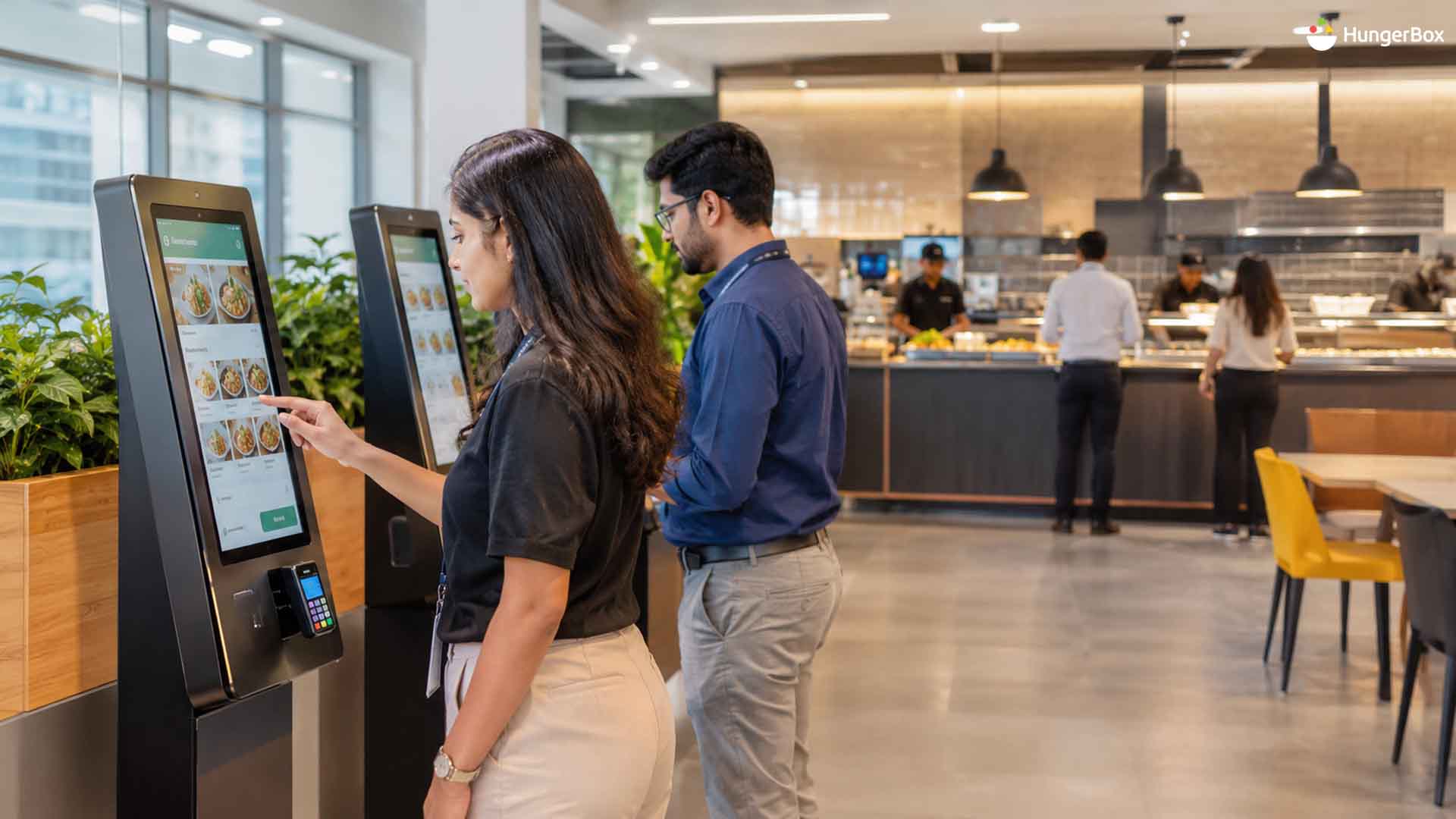
Self-Ordering Kiosk in Office Canteens: Is It Worth It? Cost, Setup and ROI
A self-ordering kiosk is worth it in an office canteen when queues, shift peaks or counter staffing are the real problem, not when you just want a new screen. Payback depends on throughput, labour redeployed and fewer order errors. In a subsidised canteen, higher spend per order is a weaker source of return than in a restaurant.
Most kiosk advice online is written for restaurants, where a kiosk pays for itself by nudging customers to add a drink or a side. A canteen works differently. Meals are often fixed-price or subsidised, the rush is short and sharp, and the real losses are long queues, idle counters and wrong orders.
This guide covers when a self-ordering kiosk makes sense, what it costs, how to work out ROI for a canteen, and how to set one up in six steps. It is written for facility heads and admin managers who run an office canteen and need a defensible number to take to finance.
Cost figures come from published restaurant benchmarks and are labelled as such. HungerBox does not publish kiosk pricing, so get a quote for your own site before you budget.
What Is a Self-Ordering Kiosk in an Office Canteen?
A self-ordering kiosk is a touchscreen terminal where employees pick a meal, pay or tap a meal card, and send the order straight to the kitchen without a cashier. In an office canteen it sits at the entry or beside the counters and works next to app, QR and card ordering.
At factory canteens, HungerBox places kiosks at entry points so workers can order without a smartphone, app or account, which helps lines move at shift changes. See how that works in its factory canteen management approach. In offices, a kiosk mainly serves people who skip the app, such as visitors, new joiners and anyone without their phone.
When Is a Self-Ordering Kiosk Worth It in a Canteen?
A self-ordering kiosk is worth it when at least two of these are true: lunch queues run long, more than one shift eats at once, counters are short of staff, or many users have no smartphone. If your queue is short and app use is high, skip the kiosk and fix the menu instead.
The table below turns that into a quick check. These are rules of thumb from how canteens run, not measured thresholds.
|
Signal at your canteen |
Kiosk worth it? |
Why |
|---|---|---|
|
Long queue at the lunch peak |
Yes |
Extra ordering points without extra cashiers |
|
Shift changeovers with many people at once |
Yes |
Orders are placed in parallel, so the line moves |
|
Many users without a smartphone |
Yes |
No app or account needed to order |
|
Counter staff spend most of their time billing |
Likely |
Staff can move to serving and food prep |
|
Short queue and high app adoption |
No |
Little time to save |
|
One small counter with low footfall |
Probably not |
Cost per order stays high |
Office sites with hybrid attendance have uneven peaks, so check footfall by weekday before you decide. For the wider causes of lunch peaks, read why office cafeterias break at lunch hour. For office-specific set-ups, see corporate cafeteria management.
How Much Does a Self-Ordering Kiosk Cost?
A self-ordering kiosk costs more than the screen. Published restaurant benchmarks run from about $3,000 to $9,000 per unit in year one, all in, or about €2,500 for a first kiosk plus roughly €1,300 a year in software. Treat these as a comparison floor for your canteen, not a budget.
Five cost heads make up the total:
- Hardware and install: the unit, stand, printer or scanner, and fitting.
- Software: a licence or yearly subscription per kiosk.
- Payments and integration: meal cards, wallets and the link to your kitchen and billing systems. Integration is the cost that most often hides from quotes.
- Support and warranty: repairs and replacements.
- Training and change: briefing staff and showing users how to order.
|
Source |
Figure |
Note |
|---|---|---|
|
Tabesto (restaurant kiosk vendor) |
About €2,500 for the first kiosk, about €2,000 for each extra |
Hardware, setup and installation |
|
Tabesto |
About €1,300 per kiosk per year, plus about 0.8% of turnover |
Subscription and commission |
|
Chowbus (restaurant technology vendor) |
$3,000 to $9,000 per unit, first year, all in |
Varies with configuration and integration |
This is restaurant data. A turnover commission may not suit a subsidised canteen, so ask every vendor exactly how it charges.
How Do You Calculate Self-Ordering Kiosk ROI in a Canteen?
Self-ordering kiosk ROI in a canteen equals the yearly value of staff time redeployed, faster throughput, fewer order errors and less leakage, minus the yearly cost of the kiosks. Restaurants lean on higher order value. Canteens should lean on time and accuracy.
- Labour: the cost of staff you move from billing to serving or avoid hiring. If nobody moves, this is zero.
- Throughput: meals served in the same window, and people who no longer give up on a long queue.
- Errors: fewer wrong orders, refunds and wasted plates.
- Leakage: every kiosk order is recorded, which can help show where meals go unbilled. Our guide to the hidden cost of running office cafeterias explains subsidy leakage and unbilled meals.
Here is an illustrative example with made-up numbers, so replace them with your own. Two kiosks cost ₹6,00,000 upfront and ₹1,50,000 a year to run. They let you redeploy two counter staff worth ₹4,80,000 a year and save ₹40,000 in errors. Net yearly gain is ₹3,70,000, or about ₹30,800 a month, so payback takes about 19 months.
Vendors quote faster paybacks. Tabesto says three to ten months in most cases, and Zivelo reports 20 to 30 percent higher ticket value for its quick-service customers. Both are vendor-reported and based on restaurants, so do not carry them over to a subsidised canteen.
How Do You Set Up a Self-Ordering Kiosk in a Canteen?
Set up a self-ordering kiosk in six steps: measure your peak, choose the placement, connect menu and payments, run a small pilot, brief staff and users, then track results for 30 days. Treat it as a pilot with one or two units before you scale.
- Measure the baseline. Note queue length, wait time, orders per minute at peak and wrong orders per week.
- Choose the placement. Put kiosks at the entry or just before the counters, where the queue forms, and keep the walkway clear.
- Connect menu, prices and payments. Use one menu source for kiosk, app and counters. Link meal cards, wallets and entitlements so subsidy rules apply automatically.
- Pilot with one or two units. Run them for two weeks with a staff member nearby to help.
- Brief staff and users. Add simple signage and keep a counter option for people who prefer it.
- Track results. Compare against your baseline for 30 days and adjust for seasonality.
A kiosk is one ordering channel among several. Our guide to a canteen app for employees shows how kiosks, QR and card tap fit together. HungerBox lists the kiosk as one way to order through its user app.
Self-Ordering Kiosk Mistakes That Kill ROI
- Buying before measuring. Without a baseline, you cannot prove the return.
- Running the kiosk in isolation. A kiosk not linked to the kitchen and billing gives you little data and more manual work.
- No fallback. Keep a counter option for outages and for people who need help.
- Moving no one. If counter staff stay on billing, the labour saving never arrives.
- No owner for the numbers. Name one person to report the weekly metrics.
Key Takeaways
- A self-ordering kiosk pays off in a canteen through queue time, redeployed staff and fewer errors, not higher order value.
- Use it when two or more signals apply: long queues, shift peaks, short-staffed counters, many users without smartphones.
- Restaurant benchmarks run about $3,000 to $9,000 per unit in year one. Get a quote for your own site.
- Measure a baseline first and pilot with one or two units.
- Link the kiosk to menu, payments and billing so it gives you data.
Decide With Your Own Numbers
A self-ordering kiosk is a good bet when your queue is the problem and you can move staff to better work. It is a poor bet when queues are short or nobody will be redeployed. Run the ROI formula with your own figures before you buy.
If you want to test a kiosk at your site, ask HungerBox for a kiosk quote and share your peak numbers so the quote fits your canteen.

Frequestly Asked Questions

Published restaurant benchmarks run from about $3,000 to $9,000 per unit in the first year, all in. One vendor lists about €2,500 for a first kiosk plus about €1,300 a year in software. Canteen quotes depend on integration, payments and the number of units, so request a written quote.
Restaurant vendors claim three to ten months, based on higher order value. A canteen depends on staff redeployed and errors avoided instead. The illustrative example above gives about 19 months. Measure your own baseline and recheck after 30 days.
Not by design. They move staff from billing to serving and food prep. The labour saving in your ROI is real only if you redeploy or avoid hiring. If counter staff stay on billing, expect little return.
No. A kiosk lets people order on the spot. HungerBox deploys kiosks at factory canteen entry points so workers can order without a smartphone, app or account, which helps at shift changes.
Neither wins on its own. Apps and QR suit people who plan ahead, while kiosks suit walk-ups and users without phones. Most sites do best offering several ordering channels and sending every order to the same kitchen and billing system.